The food at the back of the fridge
Enter expiry dates after shopping. See which products to use first, then mark each as used or wasted.
 Expirify
Use food before it expires. Keep an eye on medicine expiry dates. Remember subscription renewals and everyday tasks. See what is due next, all in one Android app.
Keep your dates together and see what needs attention next.
Enter expiry dates after shopping. See which products to use first, then mark each as used or wasted.
Set a recurring reminder before renewal. Decide whether to keep it before the next payment.
Water the plants, replace a filter, check a medicine’s expiry date. Set a date for each task instead of keeping it all in your head.
From groceries to subscription renewals: add an item, set its date, and see when it needs your attention.
Scan a barcode or add items manually. Enter the expiry date from the package. Add purchases in batches and set quantities.
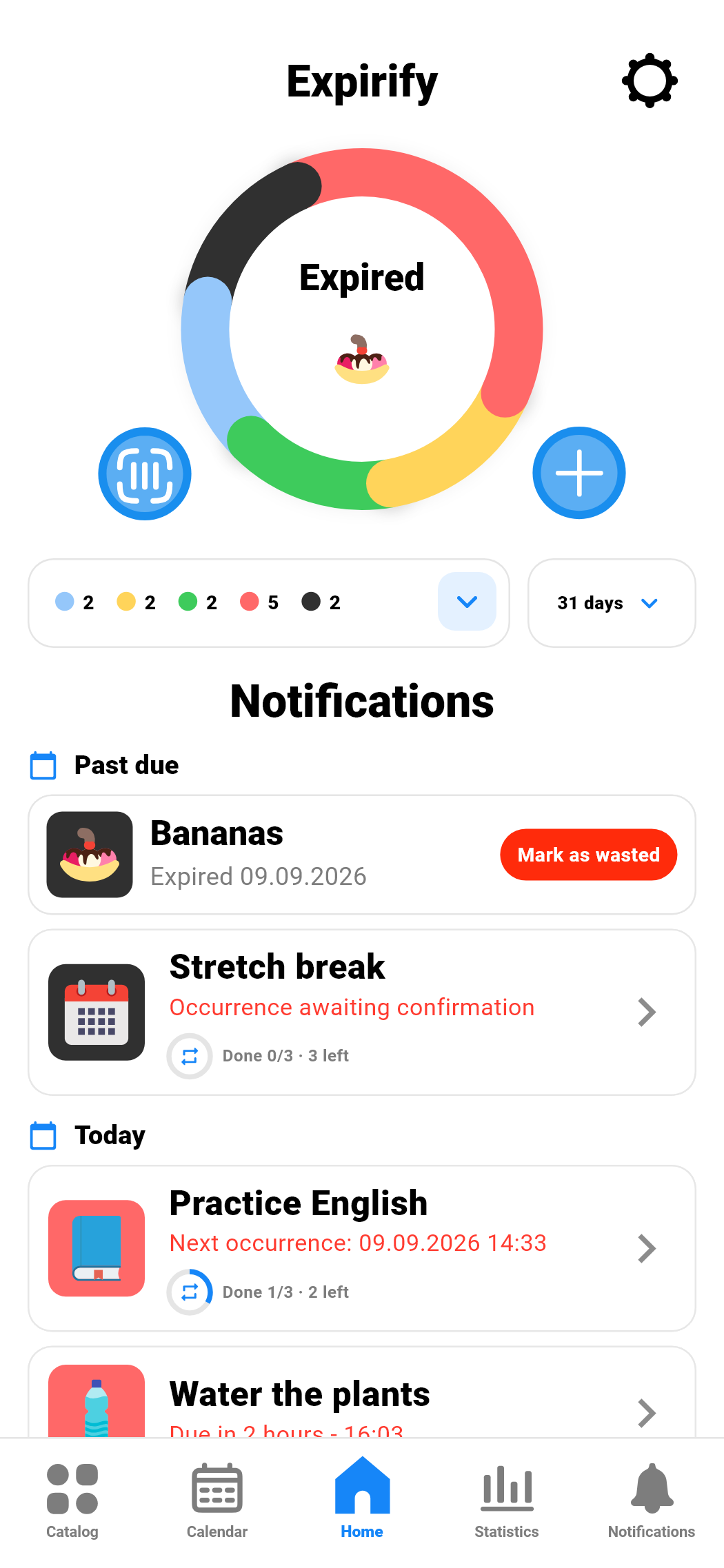
The adaptive timeline clearly indicates what is overdue, what is coming up, and what can wait.
Schedule local notifications before a deadline. Overdue items stay visible. Android notification permission is required; battery restrictions may affect delivery.
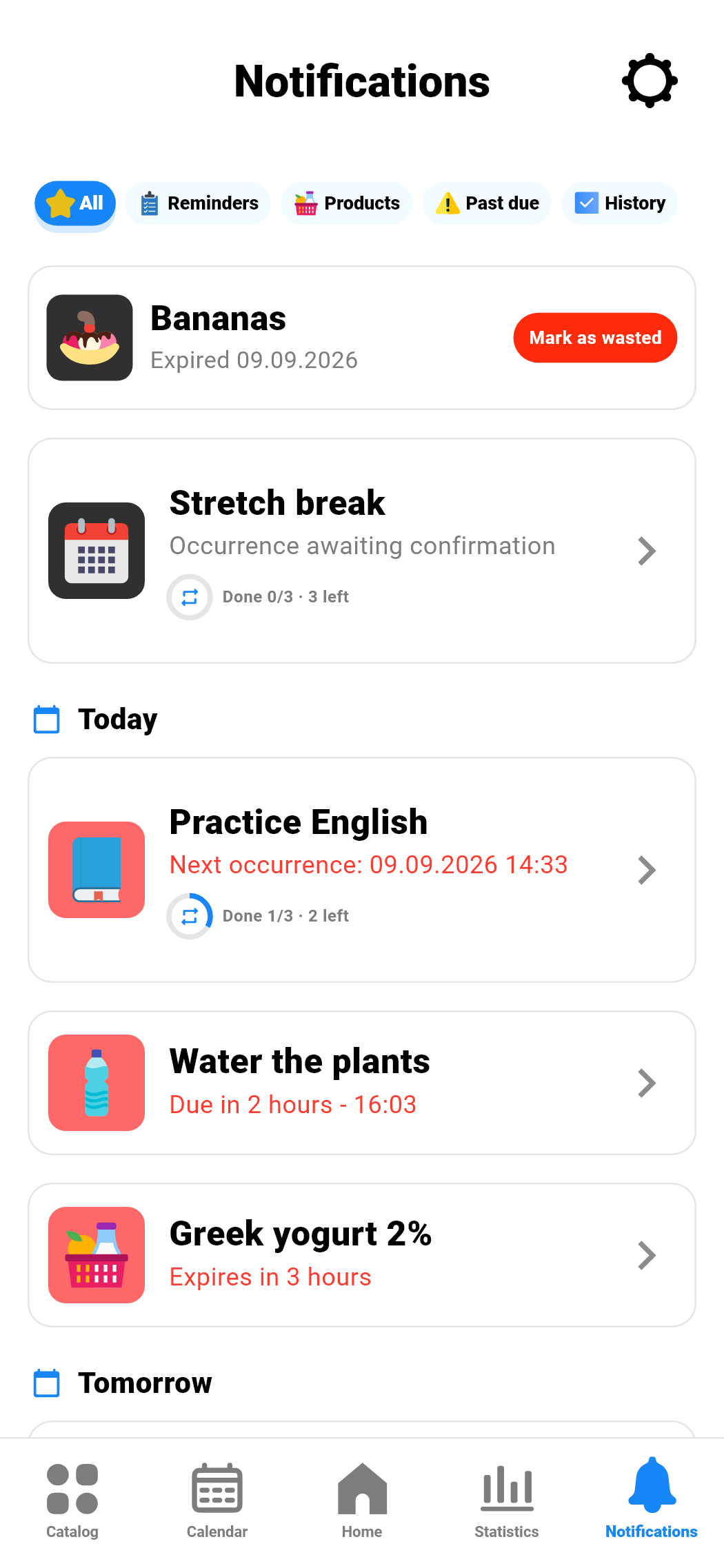
Find a product, plan your day, or review your progress. These screenshots show the actual app with demo data. Click any image for a closer look.
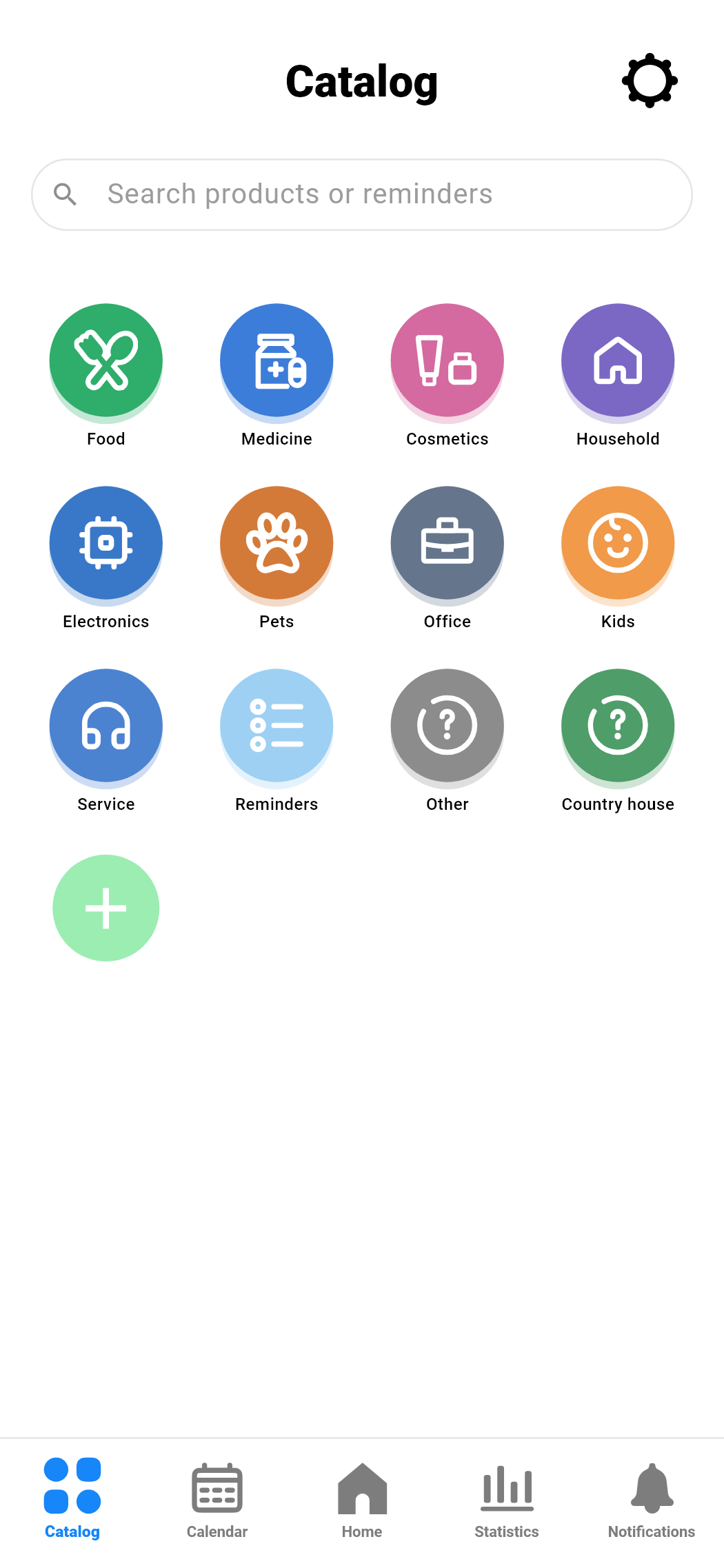
Find what you need without scrolling through the whole list. Organize products and reminders into your own categories.
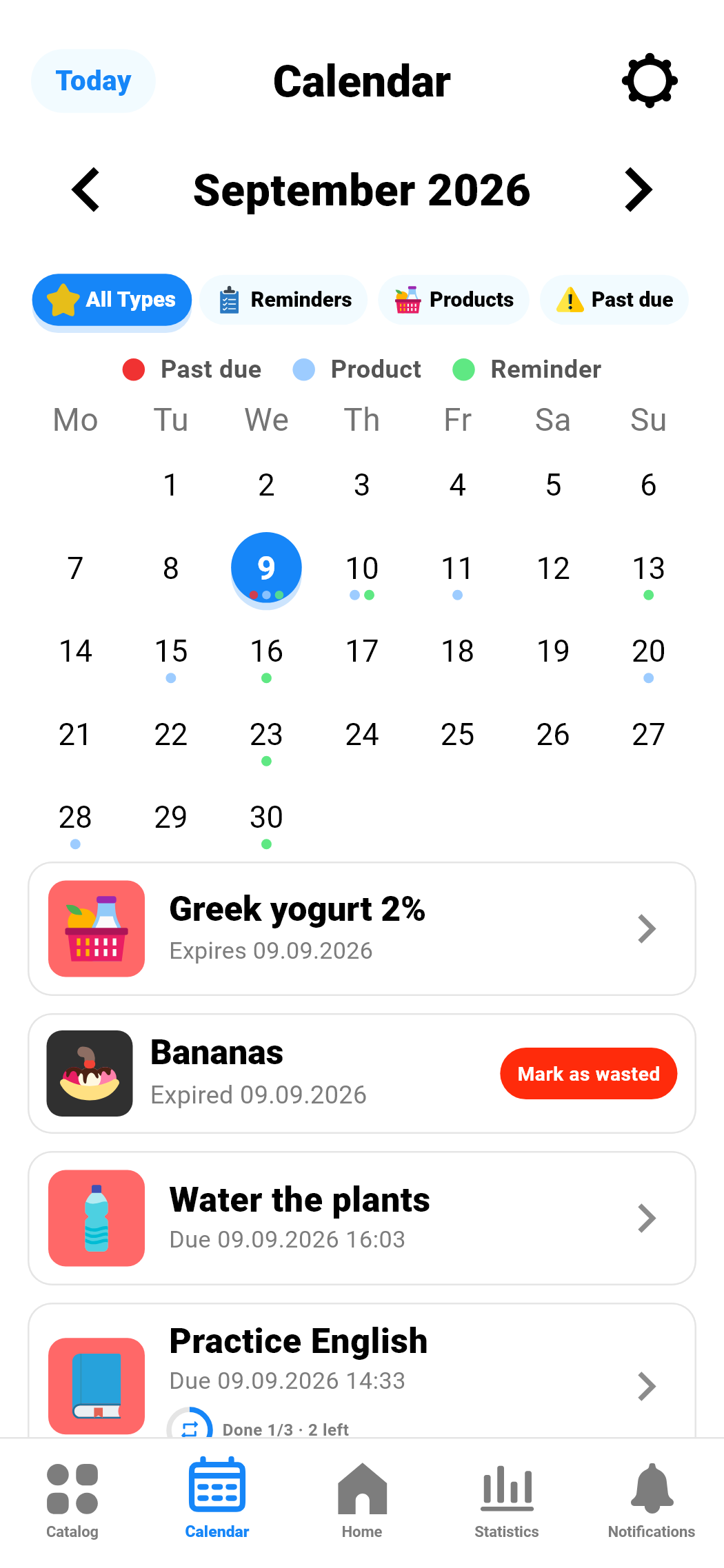
See product expiry dates and task deadlines in one calendar. Plan your day without checking separate lists.
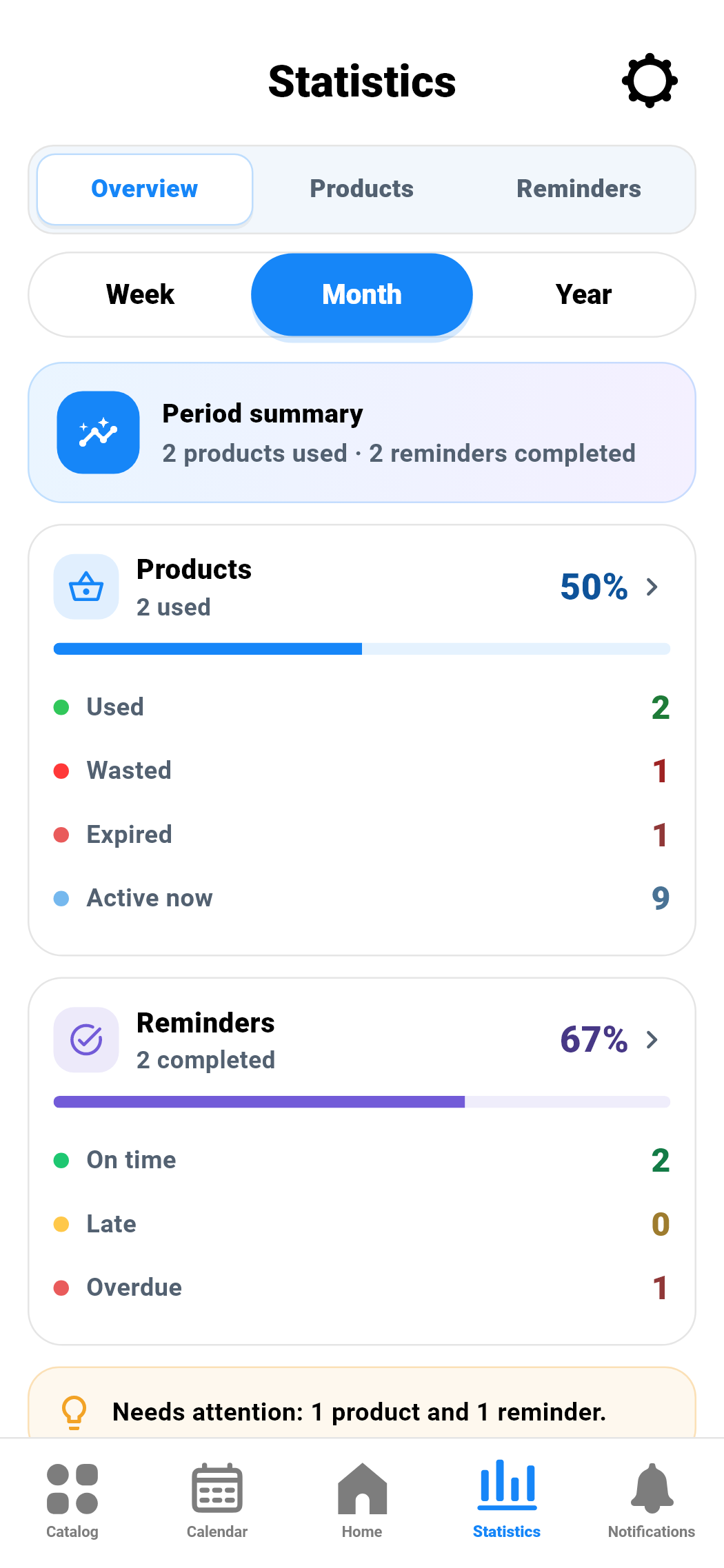
See what you used, what went to waste, and which tasks you completed. Products and tasks have separate statistics, so each result is easy to understand.
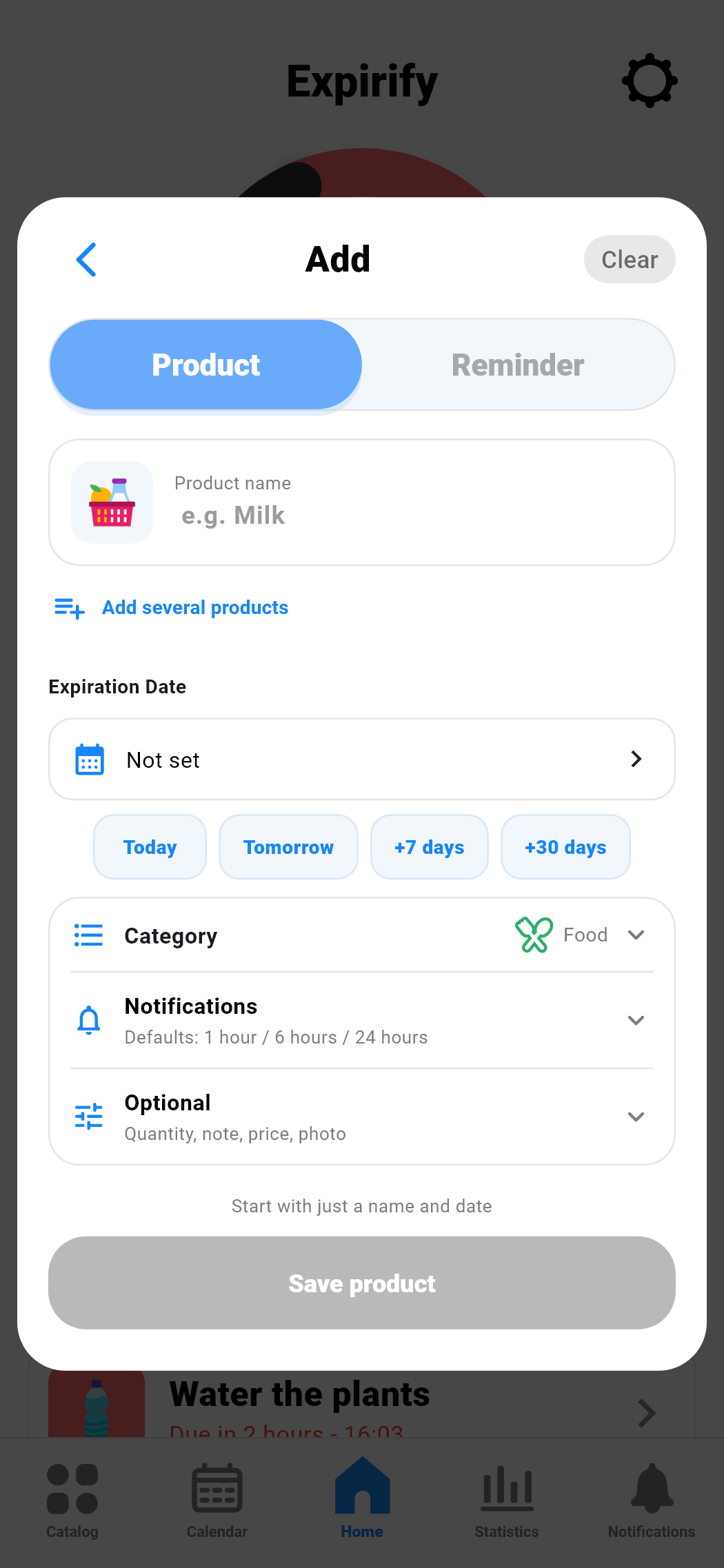
Add several purchases together, adjust quantities, and set reminders for individual entries. Spend less time entering the same details after shopping.
Add items manually, scan one barcode or several, and enter quantities for identical products.
Keep track of food, medicine, cosmetics, household supplies, subscriptions, and recurring tasks in one place.
A circular timeline shows what is overdue, what is next in line, and what can safely wait.
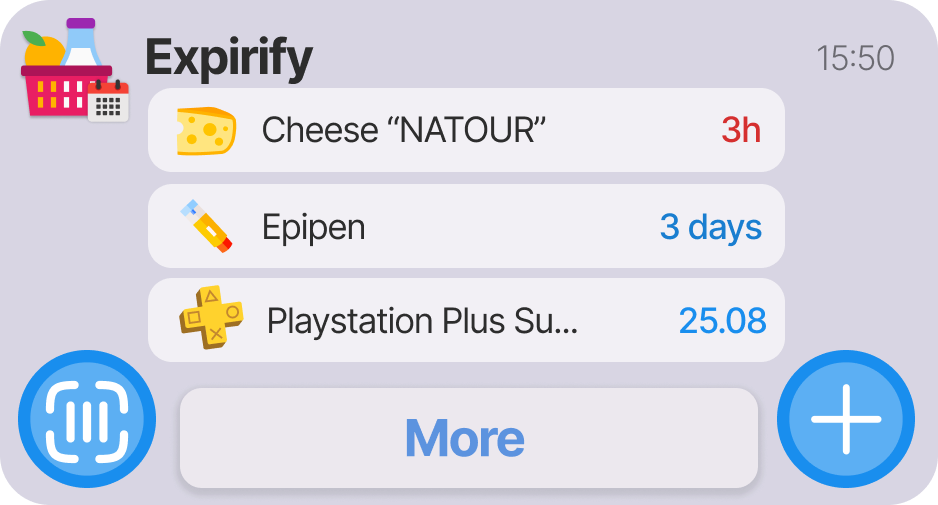
The Android widget shows upcoming deadlines and provides quick access to adding items and scanning barcodes.
Choose when each item should trigger a notification and how often tasks should repeat. Overdue entries stay visible until you resolve them.
Review products used or wasted alongside completed tasks, with separate statistics for each. Product values use the prices you enter.
Expiry trackers, pantry apps, and household systems show demand for staying organized. Expirify combines products and recurring reminders in a focused Android experience; demand for this particular approach still needs testing.
A lightweight home for expiration dates and recurring reminders across food, medicine, cosmetics, household items, subscriptions, and more—all in one Android app with no mandatory account or server.
Each lists 500K+ Android downloads on Google Play. This indicates category interest, not proven retention or demand for Expirify.
These products approach the same everyday problem through food inventory, household management, or shared stock tracking.
The opportunity to test: can a focused timeline and a short first-run flow make deadline tracking easier to adopt and keep using?
10K+ Google Play downloads · listed release: October 26, 2023.
Tracks food, medicine and household items. Expirify combines product deadlines with recurring tasks, batch entry and widgets.
Release history: FoxData.
1K+ Google Play downloads · catalog date: May 2, 2026.
Local inventory with categories and storage locations. Expirify also covers recurring tasks and completion statistics.
Catalog history: Chrome-Stats.
Snapshot: September 13, 2026. These download tiers are below Cooklist and BEEP's 500K+, but do not measure active use, revenue or product quality. A listed release date and a catalog creation date are different: Expiree's first release date is not independently verified.
Barcode and photo entry, expiry calculation from manufacture date and shelf life, storage location, calendar, snooze, and PDF/CSV support.
Covers food, medicine, cosmetics and household items. Google Play lists ads and in-app purchases; broad item coverage alone is not unique to Expirify.
Expirify combines recurring task cycles, batch entry, widgets and outcome statistics.
Photos, barcode scanning, categories, separate storage locations, calendar, archive, backup import/export, and light/dark themes.
A focused inventory app with no mandatory account, ads or cloud storage, according to its developer. Privacy and non-food coverage are shared strengths.
Expirify supports finite recurring task series, batch entry and home-screen widgets, plus used/wasted and task-completion statistics.
Barcode and photo entry, expiry tracking, synchronization, a web app, meal planning, and shopping lists.
Food inventory is its main focus; availability of individual features varies by platform and plan.
Expirify puts product dates and recurring reminders on one timeline, rather than building a meal-planning ecosystem.
Barcode lookup, expiry alerts, categories, and shared tracking for teams on Android and iOS.
The documented workflow combines barcode lookup with manual expiry-date entry. A barcode does not supply the package's expiry date.
Expirify focuses on personal product dates and recurring reminders without a required account or team setup.
Batch scanning, quantity tracking, cloud inventory, family sharing, and shopping lists.
Its guide recommends registration for sharing and recovery; it does not describe registration as mandatory for getting started.
Expirify keeps the main tracking workflow local on Android. Pantry Check also covers household essentials, so non-food items alone are not a unique advantage.
Inventory, prices, recipes, barcodes, household chores, and general tasks.
Grocy already extends beyond food into tasks and equipment. The distinction is setup and product focus, not exclusive ownership of reminders.
Expirify starts as a standalone Android app. Grocy offers deeper household management, but the Android companion needs a running server.
Retail purchase imports, barcode entry, expiry estimates, meal planning, shopping lists, and household sharing.
The official site also includes household essentials and personal care. Its retail integrations are oriented toward US stores.
Expirify focuses on dates and recurring reminders without retail accounts. Cooklist connects inventory to shopping and meal planning.
Barcode lookup, estimated expiry dates, storage spaces, recipes, family sharing, and device sync.
The website describes the features; current reach and active usage have not been independently established.
Expirify combines manually entered product dates with one-off and recurring reminders in one urgency view.
Sources checked September 5, 2026 for the original six alternatives; September 13, 2026 for Kraph Tech and Expiree: official product pages, screenshots, guides, and store listings. Features are documented claims, not hands-on benchmarks. Missing features mean not confirmed in these materials, not proven absent. Google Play downloads are cumulative, not active users; Apple does not publish install counts. Product-focus notes are our interpretation, not user-review findings. Store availability and features may change: NoWaste, BEEP, Pantry Check, Grocy, Cooklist, Fridgely, Expiry Date Alert & Reminder, Expiree, Expiree privacy.
Broad deadline coverage, a focused mobile experience, an offline-first start, and a clear urgency view. This is the position to validate through a soft launch.
The product is built; the next step is a focused launch with a publisher. Freemium and Plus are proposals; billing and access controls still require development.
The publisher receives the app with no ads, artificial limits, or paid screens. Every implemented feature is available for immediate evaluation.
A possible free tier: up to 50 active products, five custom categories, the basic widget, and limited batch entry.
A potential paid tier for larger lists and added convenience. Billing, subscription access, pricing, and any advertising integration still need to be implemented.
Voice input, Data Matrix support when a reliable source is available, and contextual reminders in stores.
Relevant replacement suggestions for expired products, promo codes, affiliate revenue, and retail integrations.
The free version should be useful on its own. Paid features should offer more capacity and convenience. We propose keeping JSON export and basic statistics free.
Expirify’s shared Flutter codebase provides a foundation for an iPhone version, so expansion does not mean starting the product from scratch. Android is available for evaluation today; iOS is planned, not yet released or validated. The scope and timing can be agreed with a publisher: iOS integrations for notifications, scanning and widgets, device testing, and App Store preparation still need to be completed.
First, find out whether people keep using the app. Then invest in the features they need most.
Complete the final asset and catalog review, run end-to-end QA, and prepare the full Google Play submission.
Start with a small test audience. Measure whether people add their first item and return to the app, then refine reminders and positioning.
Improve the catalog and icon coverage, add product-card corrections, cloud backup, and family access once demand is validated.
Explore licensed Data Matrix integration, voice input, location-aware use cases and new markets.
Data Matrix is an R&D direction, not a promise for the current release. It requires an official or licensed data source at the level of a national product-marking system.
Check catalog providers’ terms, correct unreliable records, and improve product names, categories, and coverage in the launch market.
Verify online lookup order, caching, timeouts, offline behavior, and clear attribution of third-party catalog data.
Retest notifications, recurring cycles, the widget, camera flows, import, long names, and supported Android versions.
Finalize the store listing, Data Safety form, support details, privacy policy, and store assets.
Test the three-screen introduction with new users. Keep the full feature tour in Settings and verify that users can create their first entry without assistance.